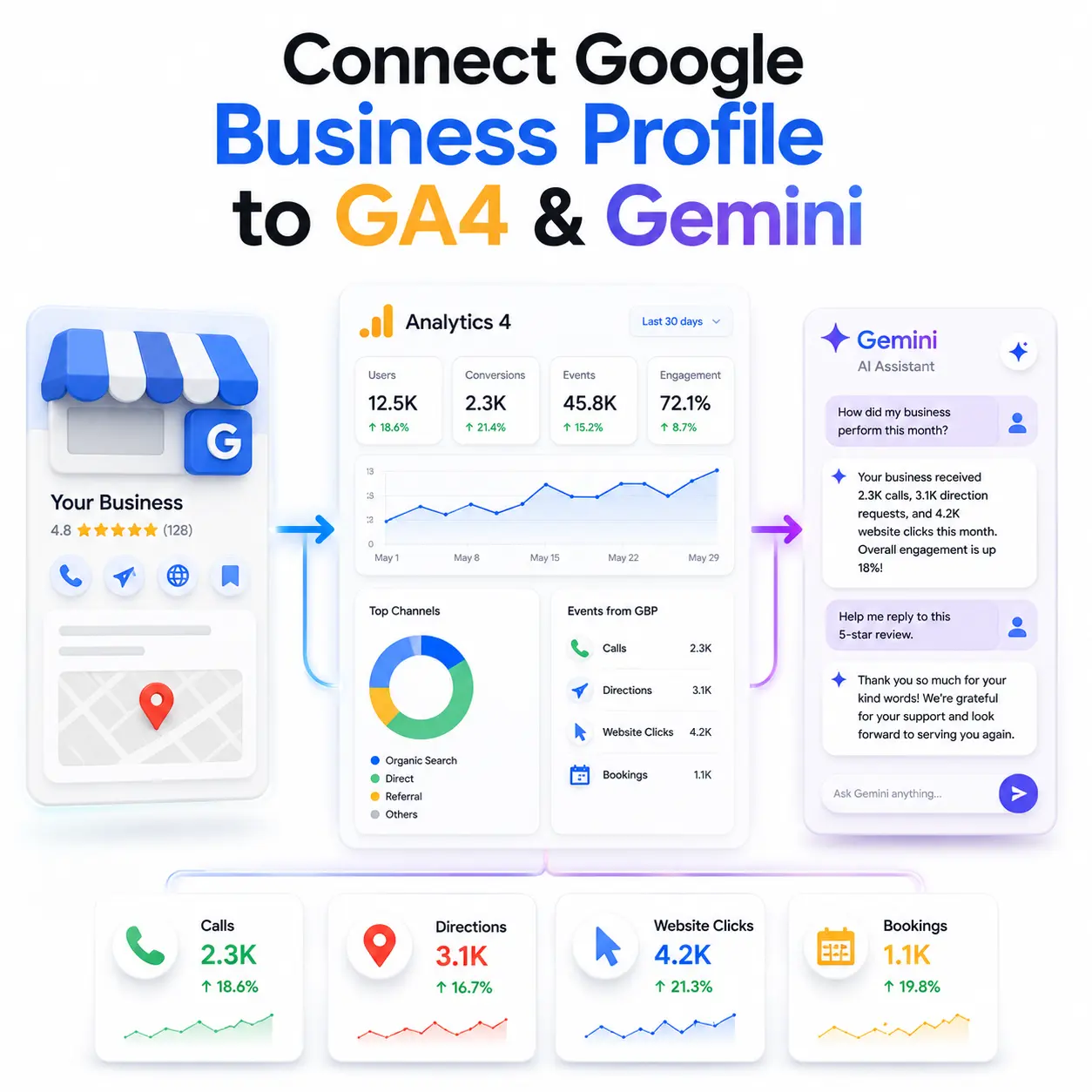
For years, local businesses lived with a frustrating blind spot. When someone tapped “Call” or “Get Directions” on your Google Business Profile, that high-intent action happened on the profile itself completely invisible inside Google Analytics. You could see website
sessions, but the moments that actually signalled a ready-to-buy customer never made it into your reports.
That gap is finally closing. In 2026, Google rolled out two separate connections for Google Business Profile a native link to GA4 for measurement, and an integration with Gemini for management. This guide walks you through how to connect Google Business Profile to
GA4 and Gemini, what data you get, the limitations to plan around, and which tool to use for which job.
What’s New: GBP’s Two Connections in 2026
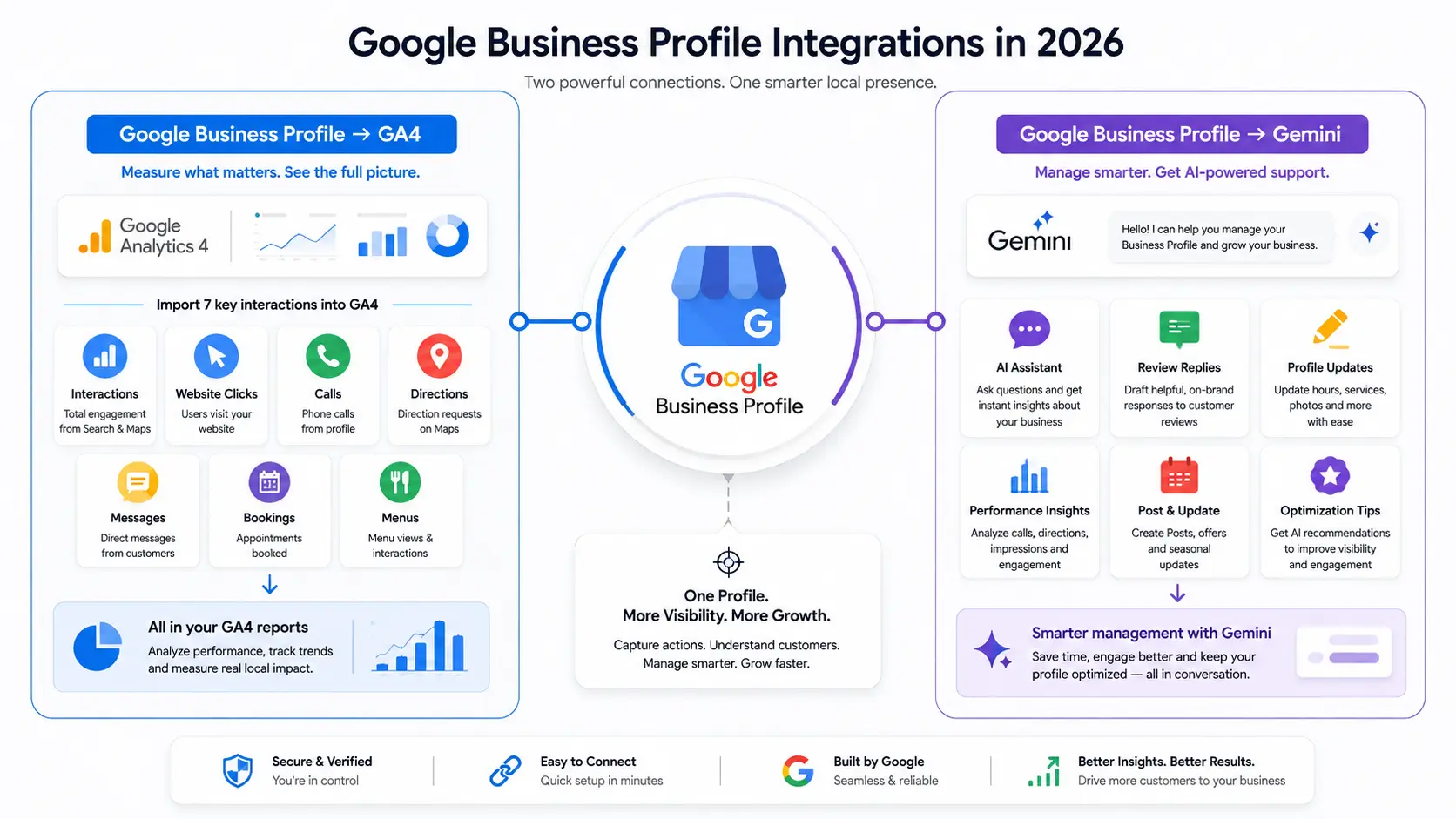
It’s important to understand these are two different integrations solving two different problems.
- The GA4 connection is about reporting. It pulls your local engagement metrics calls, directions, bookings and more into Google Analytics so you can see them next to your website data.
- The Gemini connection is about management. It turns Gemini into an AI assistant that understands your business, letting you update your profile, draft review replies and analyse performance through a conversation.
You can set up one without the other, but most local businesses will want both.
Before You Start: Permissions & Prerequisites
This is where most setups quietly fail, so check these first.
For the GA4 link, you need:
- Editor or Administrator access on the GA4 property
- Owner or Manager permission on the Business Profile you’re linking
One catch worth flagging: the integration does not work for GA4 subproperties. You must link directly to a standard property.
For the Gemini connection, you need:
- To be the owner or manager of only one verified Business Profile (multi-profile accounts aren’t supported yet)
- To be signed in with a personal Google account work or school accounts won’t connect right now
- Keep Activity turned on, or Gemini can’t link to your profile
How to Connect Google Business Profile to GA4
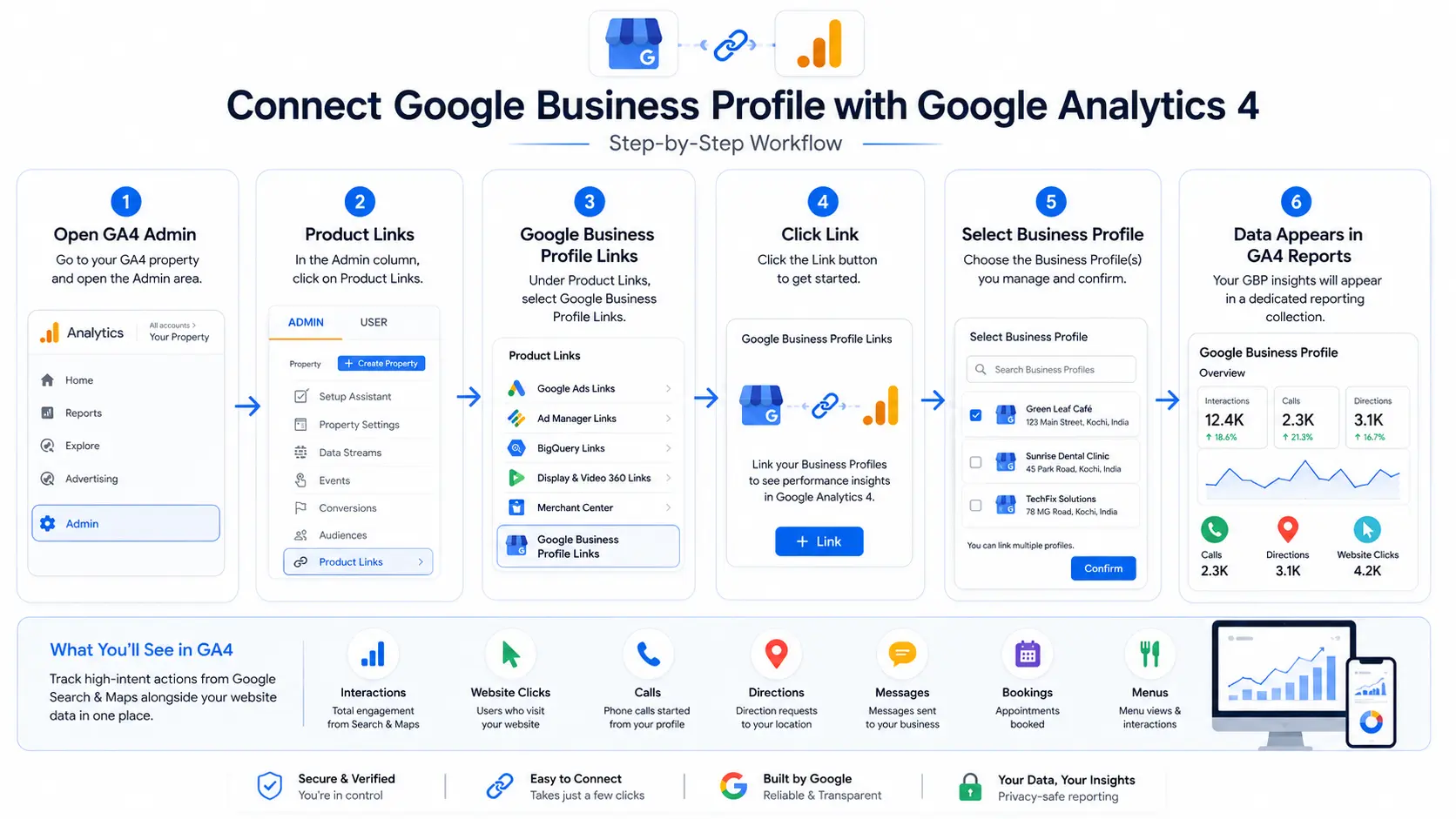
The GA4 setup is quick once your permissions are in order.
- Open your GA4 property and go to Admin.
- Under Product links, click Google Business Profile links.
- Click Link.
- Follow the prompts to select the profile (or profiles) you manage.
- Review the data-sharing information and confirm the link.
Once connected, a dedicated Google Business Profile reporting collection appears in your GA4 Reports menu. This collection only shows up when a link exists. If the data isn’t there immediately, don’t panic there’s a processing delay before metrics populate, so give it
some time before troubleshooting.
What Data You Get in GA4 (and What You Don’t)
The integration imports seven interaction types straight into your reports:
- Interactions — total engagement across Search and Maps.
- Website clicks — users moving from your profile to your site.
- Calls — phone calls started from the profile.
- Directions — map direction requests.
- Messages — direct chats initiated by users
- Bookings — appointments booked through the profile
- Menus — interactions with listed menu items
Calls and direction requests are the real prize here. A user asking for directions is far further down the funnel than someone casually browsing your homepage and until now, those actions never reached your analytics at all.
The limitations you need to plan around:
- Six-month window. GBP metrics are only available for the past six months inside GA4, so year-over-year analysis still needs separate exports.
- Aggregated multi-profile data. Link several profiles and GA4 combines them into one dataset with no way to segment by location.
- No custom reporting. These metrics live in the standard reporting collection only you can’t use them in Explorations, comparisons or filters.
How to Connect Google Business Profile to Gemini
The Gemini side is even faster to set up.
- Go to gemini.google.com, signed in with the personal account tied to your profile.
- Ask Gemini something about your Business Profile.
- If it isn’t connected yet, you’ll get a prompt to connect follow the on-screen steps.
Tip: if Gemini doesn’t pull in your profile automatically, add @Google Business Profile to your prompt to nudge it.
Once connected, Gemini can genuinely take work off your plate. Ask “how did my business do this month?” and it analyses your impressions, direction requests, call data and engagement. Ask it to “help me respond to my latest review,” and it drafts a reply in your
brand voice referencing the actual feedback. You can also tell it to update your opening hours, post seasonal updates or flag gaps in your profile all conversationally.
There’s also Business notebooks, which solve AI’s usual memory problem. Each notebook holds your chats, sources, connected profile and website, so Gemini carries context across sessions instead of making you re-explain your business every time. Notebooks also
surface proactive alerts, like an unanswered customer question or holiday hours you haven’t set.
Availability note: both integrations are rolling out globally with only the EEA and UK excluded, so India and the UAE are covered. The Gemini connection supports Hindi alongside English and several other languages, making it practical for local businesses across the region.
GA4 vs Gemini: Which Should You Use for What?
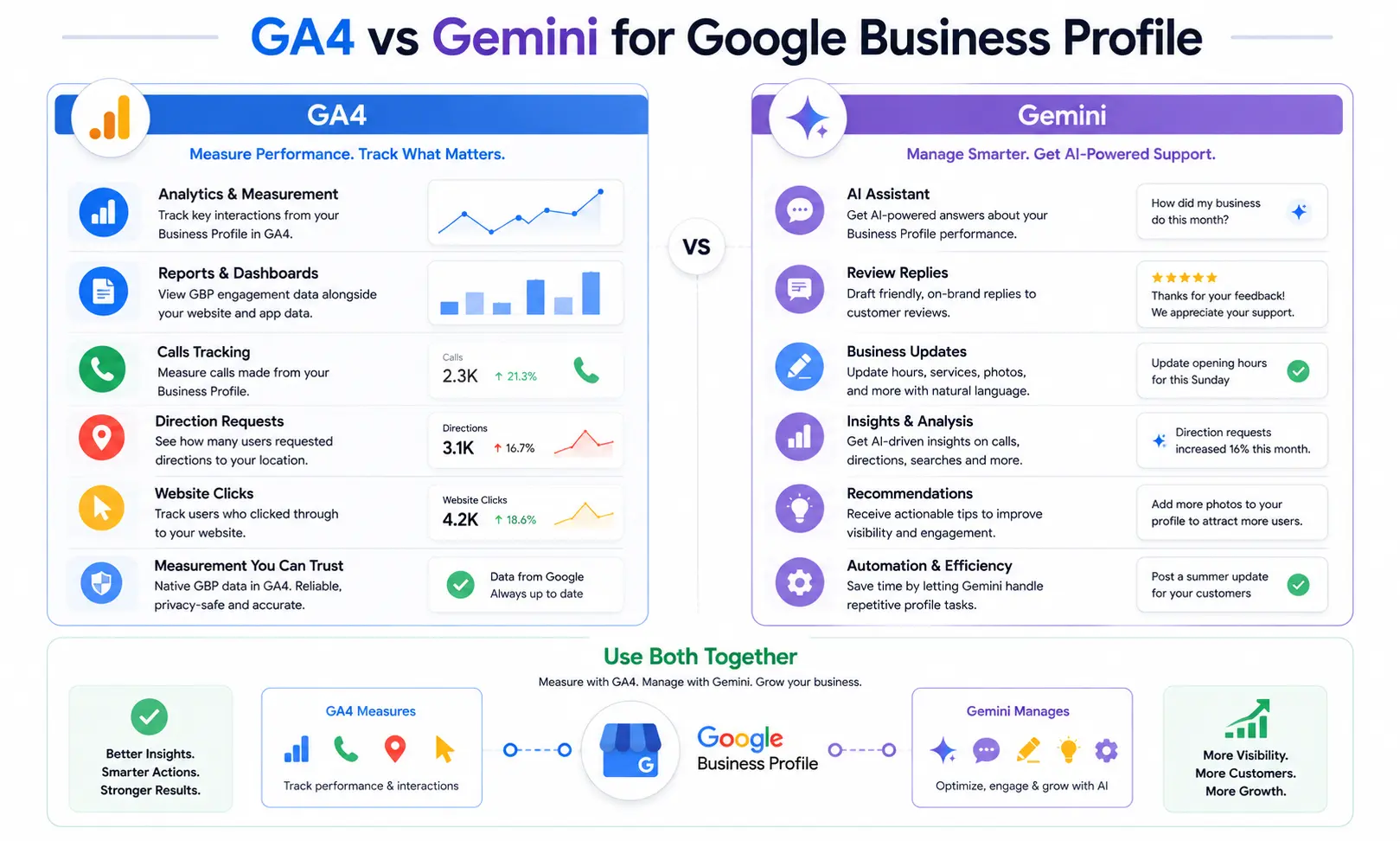
Here’s the simplest way to think about it:
- Need measurement and trend reporting? → GA4. It’s your system of record for local engagement data.
- Need to manage the profile or get quick analysis and recommendations? → Gemini. It’s your conversational assistant.
- Need to segment traffic in custom reports? → UTM parameters.
- Managing many locations? → You’ll still need an external dashboard.
Match the job to the tool, and the “why are there two connections?” confusion disappears.
Should You Still Use UTM Parameters?
Yes, keep them running. Because the native GA4 link can’t be used in Explorations or filters, UTM parameters remain the only way to segment GBP website clicks inside your acquisition reports or build custom funnels. Run both methods in parallel for full coverage.
One discipline point: keep your UTM values lowercase and consistent. GA4 treats “GBP” and “gbp” as two separate campaigns, and a single inconsistency creates a data split that compounds over time.
FAQ
How do I connect Google Business Profile to GA4? In your GA4 property, go to Admin → Product links → Google Business Profile links and click Link. Select the profile you manage, review the data-sharing terms and confirm. You need Editor or Administrator access on GA4 and Owner or Manager permission on the profile.
What metrics does GA4 pull from Google Business Profile? GA4 imports seven interaction types: total interactions, website clicks, calls, direction requests, messages, bookings and menu views. They appear in a dedicated Google Business Profile reporting collection inside your GA4 reports, alongside your website and app data.
Can I link multiple Business Profiles to one GA4 property? Yes, but all metrics are aggregated into one combined dataset. There’s currently no way to segment or filter by individual location inside GA4, so multi-location brands still need separate dashboards for location-level reporting.
Do I still need UTM parameters after connecting GBP to GA4? Yes, if you want segmentation. The native data can’t be used in Explorations, comparisons or filters. UTM parameters remain the only way to separate GBP website clicks or build custom funnels, so
run both together.
Is the GBP Gemini integration available in India? Yes. Both integrations are rolling out globally with only the EEA and UK excluded, so India and the UAE are covered. The Gemini connection also supports Hindi alongside several other languages.
Conclusion
Connecting Google Business Profile to GA4 and Gemini closes a measurement gap that frustrated local marketers for years while adding an AI assistant that simplifies day-to-day profile management. Whether you’re a local business owner, SEO professional, or even promoting a digital marketing course in Thrissur, understanding how to measure customer interactions and optimize your Google Business Profile is becoming an essential digital marketing skill. Set up the GA4 link for reporting, connect Gemini for management, keep your UTM parameters running for better segmentation, and use a dedicated dashboard if you manage multiple locations. If you’d like help building a local SEO reporting setup that goes beyond the native limits, get in touch for a quick audit of where your local visibility stands today.


