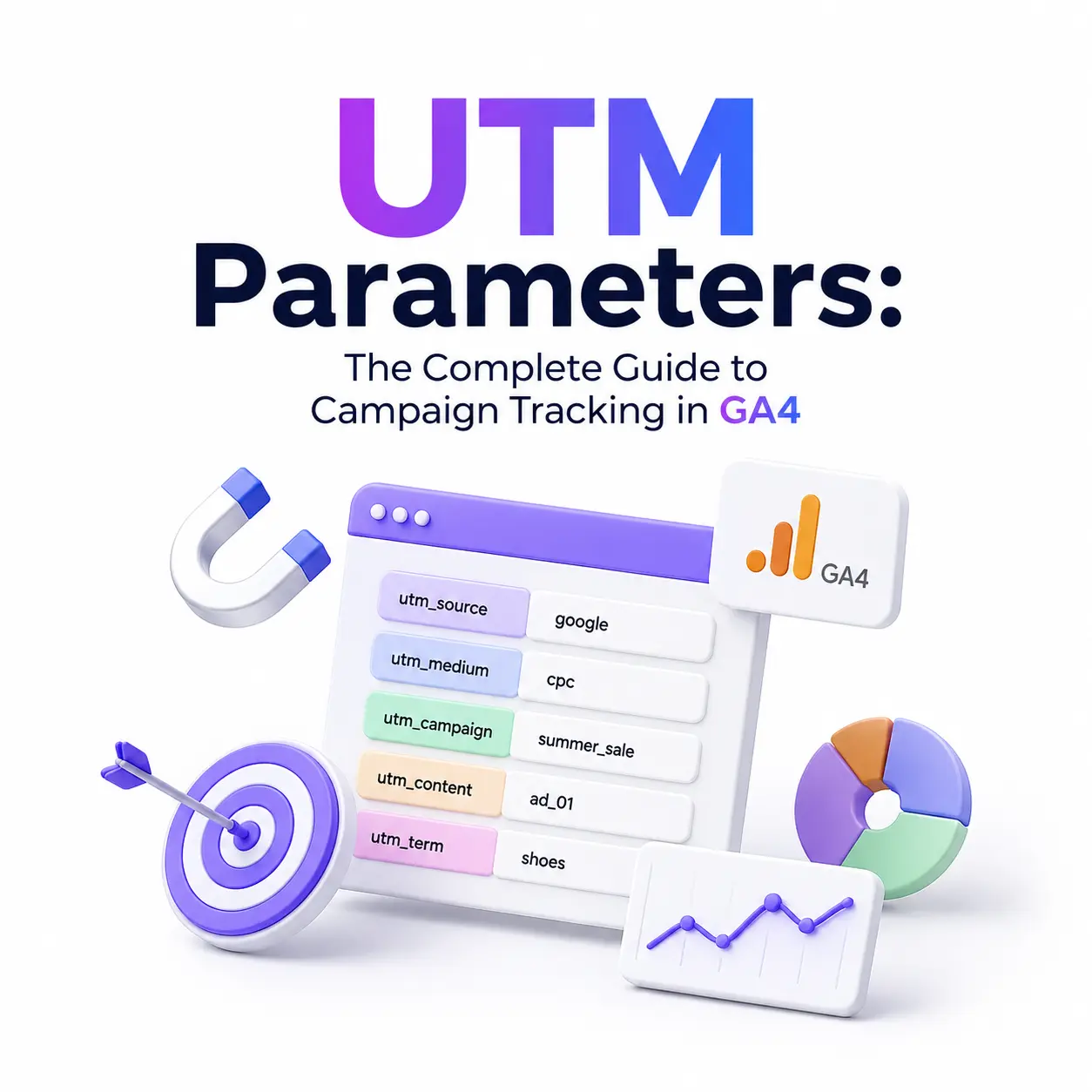
Most GA4 attribution problems aren’t platform bugs; they’re tagging problems that surface three weeks later as a wall of “Unassigned” traffic. UTM parameters are the single most reliable way to tell GA4 exactly where a session came from, but the parameter itself is the easy part. The hard part is understanding how GA4’s channel-grouping engine reads that data, why a single misspelled medium can quietly reroute thousands of sessions into “(Other),” and how to build a tagging system that survives more than one person touching it. This guide covers both: the mechanics of every parameter, and the GA4-specific logic that determines whether your tagging actually works.
What Are UTM Parameters, and Why They Still Matter in GA4
UTM stands for Urchin Tracking Module, a holdover from Urchin Software, the analytics company Google acquired in 2005 to build what eventually became Google Analytics. UTM parameters are query string key-value pairs appended to a URL that tell an analytics platform which marketing activity a session should be attributed to, overriding whatever the browser’s HTTP referrer would otherwise report.
Without UTMs, GA4 falls back to referrer-based attribution, which works reasonably well for organic search and direct navigation but collapses for anything else. An email client strips referrer data entirely, most social apps report a generic app referrer or none at all, and a QR code on a printed flyer has no referrer to report in the first place. UTMs exist to close that gap; they let you assert attribution explicitly rather than hoping the browser hands over something usable.
The Core UTM Parameters, Explained
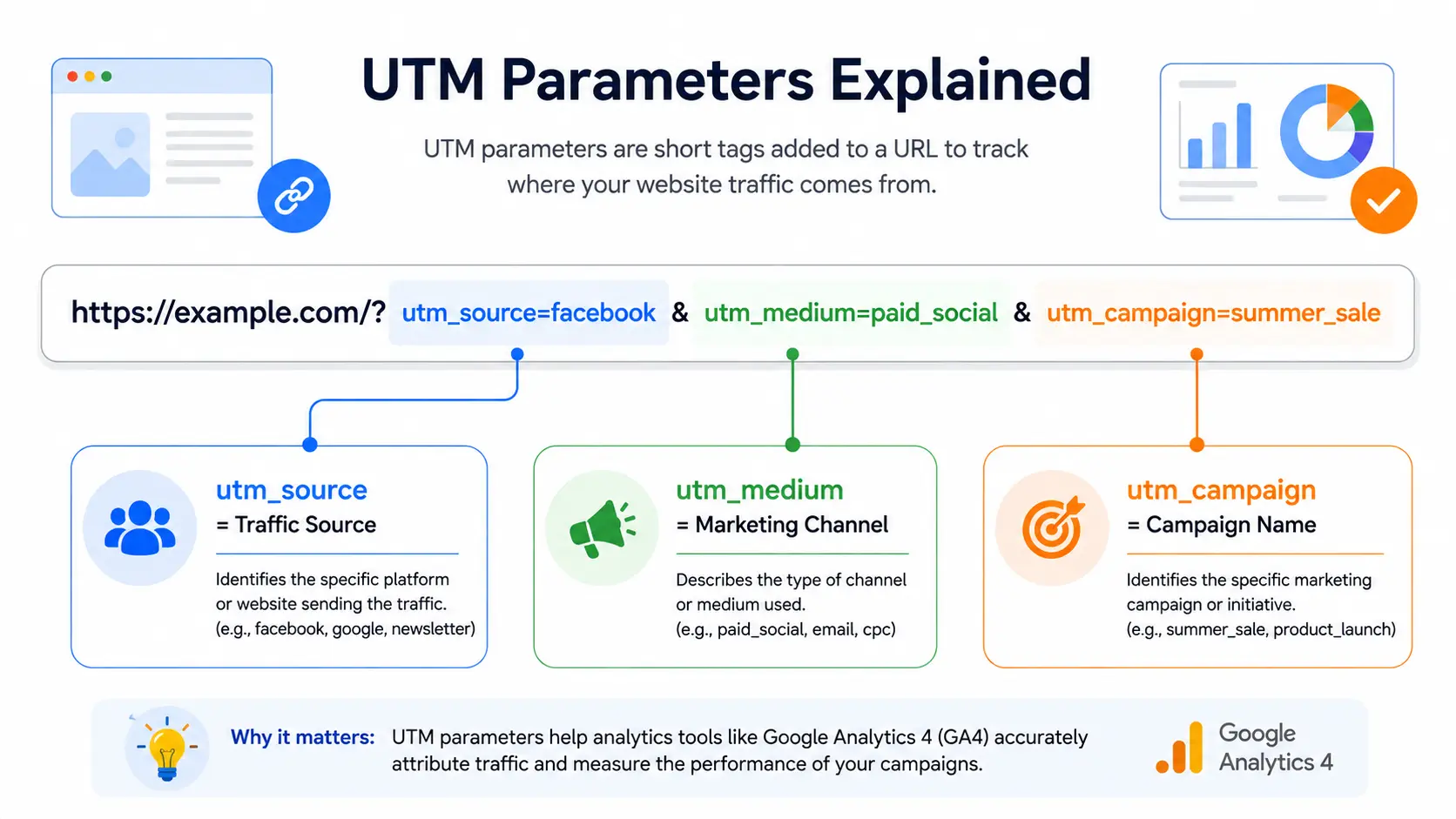
utm_source where traffic originates
utm_source identifies the specific platform or publisher sending the traffic: google, facebook, newsletter, partner-name. This is the parameter GA4 weighs most heavily when it evaluates channel-grouping rules, and it’s also the one most prone to inconsistency: facebook and Facebook are treated as two distinct values, splitting a single channel’s data across two rows in every report.
utm_medium the channel type
utm_medium describes the category of traffic, not the specific source: cpc, email, social, referral, organic. GA4’s default channel-grouping rules match against a fixed vocabulary of expected medium values. A medium your team invents on the fly, however logical it seems, won’t match any rule and the session lands in a catch-all bucket instead of the channel you intended.
utm_campaign the specific initiative
utm_campaign is the human-readable name of the specific initiative: spring_sale, product_launch_q3. This is the parameter most likely to be reused carelessly. A campaign named spring_sale in 2025 and reused verbatim in 2026 merges two years of performance data into a single row, making year-over-year comparison impossible without manual cleanup.
utm_term and utm_content optional detail parameters
utm_term historically captured paid search keywords, but in GA4 that job is handled by Google Ads auto-tagging rather than the term parameter itself; treat utm_term as a free-form slot for whatever additional segmentation your team needs, such as an audience segment or a search query you’re tracking manually. utm_content differentiates between similar assets pointing at the same destination: two different ad creatives, or a header link versus a footer link within the same email, so you can tell which specific placement drove the click.
The GA4-Specific Parameters Most Guides Miss
utm_id campaign ID and cost-data import
utm_id assigns a campaign identifier, and it’s not optional if you’re importing cost data from a non-Google advertising platform into GA4. GA4 uses utm_id to reconcile uploaded spend data with session-level campaign attribution. Without it, cost-per-acquisition and ROAS reporting for that platform simply won’t resolve correctly, regardless of how clean your other parameters are. Note that GA4 does not display utm_id values directly in standard reports; its function is purely as a join key for cost data.
utm_source_platform and utm_creative_format when they’re worth using
These two are the parameters most intermediate-level guides skip entirely, and for most teams that’s the right call. utm_source_platform distinguishes traffic sent through an automated platform (a demand-side platform managing multiple campaigns, for example) from traffic tagged manually. utm_creative_format is not currently surfaced in standard GA4 reporting, which limits its practical value outside of Exploration-level analysis. Both earn their place in programmatic or multi-platform paid setups where creative-level analysis at scale matters; for a single-channel or small-team operation, they add governance overhead without a proportional reporting payoff.
How to Build a UTM-Tagged URL (Step-by-Step)
Manual construction vs. using a builder tool
A UTM-tagged URL is just your destination URL with a query string appended: a question mark, followed by each parameter as key=value, joined by ampersands. Google’s own Campaign URL Builder (ga-dev-tools.google/campaign-url-builder) handles this correctly for one-off links and is the right tool for solo marketers or infrequent campaigns. It has one limitation worth knowing: it accepts any input, which means it enforces nothing if your team has a naming taxonomy; the builder won’t stop someone from typing Facebook instead of facebook. For teams generating links regularly, a shared builder with dropdown-driven, pre-approved values removes that failure point entirely by making the wrong input impossible to select in the first place.
Encoding special characters correctly
Spaces, special characters, and non-ASCII text in a UTM value need percent-encoding to remain RFC-compliant; a space becomes %20 or a plus sign depending on encoding context, and characters like & or need escaping so they aren’t misread as query-string delimiters. An unencoded space or ampersand inside a campaign name doesn’t just look messy; it can truncate the parameter or break the URL’s structure entirely. Build the full tagged URL first, verify every parameter resolves correctly, and only then shorten it if length is a concern for social posts or printed materials; shortening doesn’t affect tracking as long as the underlying UTM string is intact.
How GA4 Actually Reads Your UTMs — Channel Grouping Explained
The rules-engine logic (first-match-wins)
This is the mechanic most UTM guides skip, and it’s the one that actually explains bad data. GA4’s Default Channel Grouping evaluates every session against a prioritized, ordered list of rules, checking session-level dimensions session_source, session_medium, session_campaign_id, and session_campaign_name against each rule in sequence. The first rule that matches wins, and no further rules are checked after that. This means channel classification isn’t a scoring system or a best-fit match; it’s deterministic and order-dependent, and a session that could arguably fit two channels will always land in whichever one is evaluated first.
The paid channels illustrate this well. GA4’s medium-matching pattern for paid traffic matches values like cpc, ppc, and anything following a paid. pattern, but landing specifically in Paid Social versus Paid Other also depends on whether utm_source matches GA4’s recognized list of social platforms. Set utm_medium=paid_social with a source GA4 doesn’t recognize as a social platform, and the session falls through to Paid Other rather than the channel you intended — the medium alone isn’t enough.
Why “Unassigned” and “(Other)” traffic happens
“Unassigned” is what happens when a session fails to match any rule in the grouping logic at all — most commonly from missing source or medium values, or from a combination GA4’s rule set genuinely wasn’t built to classify. “(Other)” typically results from formatting mismatches: a medium value close enough to a recognized one that it’s clearly intentional, but not an exact match, so it falls through the entire rule set without triggering any specific channel. Both are diagnosable by auditing the raw session_source and session_medium values behind the traffic, not by guessing at the campaign itself.
Setting up custom channel groups
Under Admin > Data Display > Channel groups, GA4 lets you define custom channel groupings layered on top of the default rules, useful for splitting Paid Search Brand from Paid Search Non-brand, or separating Email Promotional from Email Transactional, without touching your underlying UTM taxonomy at all. One important detail to remember is that channel grouping is evaluated at query time, not during data collection.
When you open a Traffic Acquisition report, GA4 applies the current channel-grouping rules, default or custom, to historical session data on the fly. Fix a broken rule today, and reports for sessions collected months ago will reclassify retroactively the next time you view them. That’s genuinely useful for cleanup, but it also means two people looking at “the same” historical report on different days, after a rule change, can see different channel totals for identical underlying data.
UTM Naming Conventions and Governance
Case sensitivity and formatting rules
UTM parameters are case-sensitive as far as GA4 is concerned; utm_source=Facebook and utm_source=facebook are stored and reported as two distinct sources, silently splitting one channel’s data across two rows. The fix is a hard rule, not a suggestion: lowercase everything, every time, with no exceptions for brand names or proper nouns.
Building a shared taxonomy for teams
Pick underscores or hyphens for multi-word values, not both, since inconsistency here creates the same fragmentation problem as inconsistent casing. Constrain utm_medium to a fixed, documented vocabulary that maps directly to GA4’s recognized channel values (email, cpc, paid_social, referral, organic, and so on); anything outside that list risks falling into “(Other).” The highest-leverage governance move for a team of any size is requiring every tagged link to run through one shared builder; a spreadsheet-based naming registry with dropdown-controlled values works for smaller teams, while a dedicated tool with link history and permissions makes sense once several people are generating links independently.
Versioning campaigns to preserve year-over-year reporting
Append a date or quarter to recurring campaign names, spring_sale_2026 rather than spring_sale, reused annually. Without versioning, GA4 has no way to distinguish this year’s campaign from last year’s; both collapse into a single campaign row, and any year-over-year comparison requires manual data reconstruction that a versioned naming convention would have made unnecessary.
Manual Tagging vs. Auto-Tagging
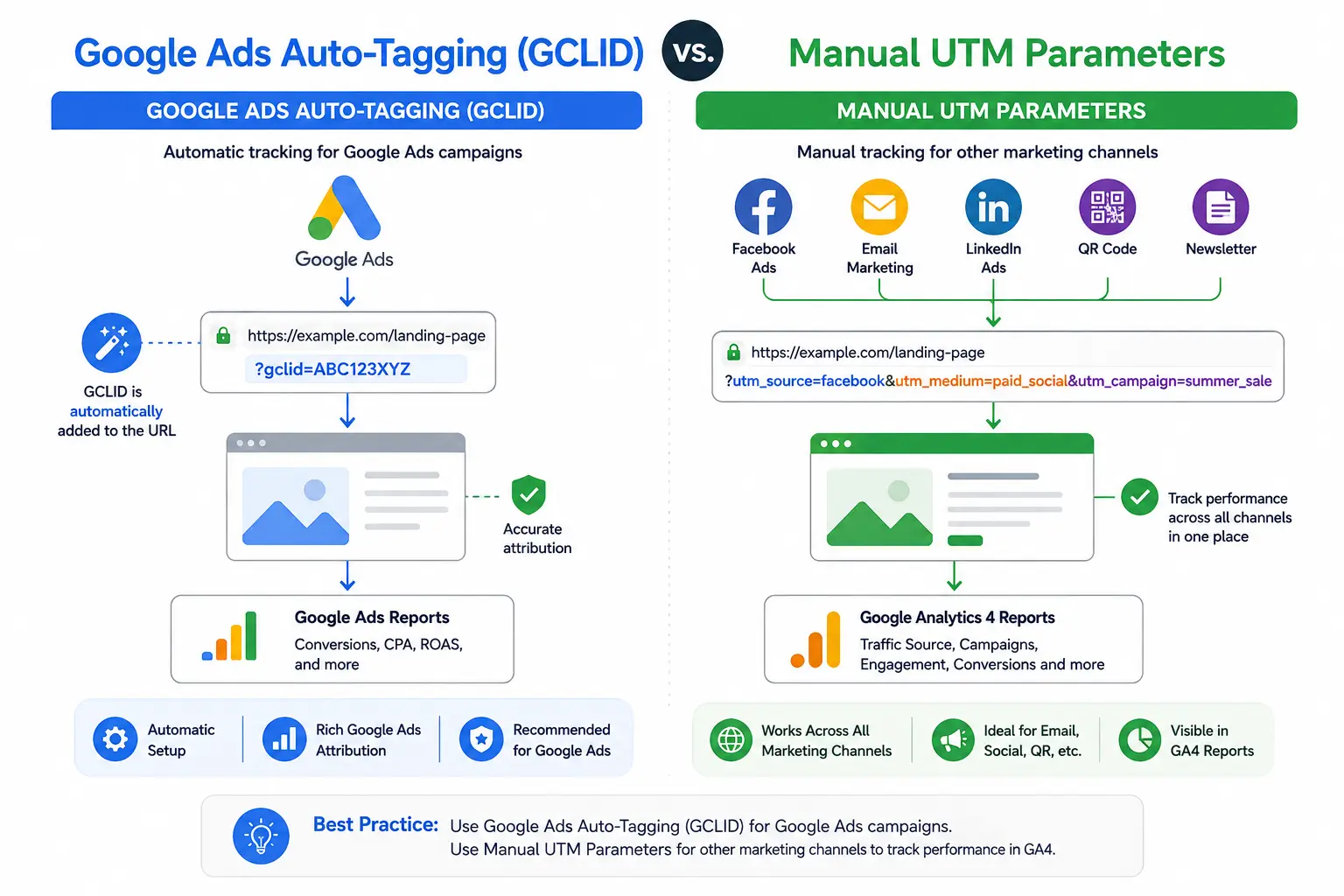
Auto-tagging is a Google Ads feature that automatically appends a gclid (Google Click Identifier) parameter to your ad destination URLs, and Google’s own documentation is explicit that when both auto-tagging and manual UTMs are present on the same link, the auto-tagged values take precedence. Auto-tagging also unlocks platform-specific dimensions and more granular reporting than manual UTMs alone provide for Google Ads traffic specifically.
The practical rule is simple: leave auto-tagging on and let it handle Google Ads without adding manual UTMs on top. Doing both doesn’t combine their benefits; it just risks conflicting values that get silently overridden anyway. Reserve manual UTM tagging for everything auto-tagging doesn’t touch: email, organic social, partnerships, affiliate links, QR codes, and any URL you construct by hand rather than generate through an ad platform.
Common UTM Mistakes That Break GA4 Reporting
The most frequent failure isn’t a missing parameter; it’s inconsistent casing across team members, which fragments a single channel into multiple report rows without ever throwing an error. Close behind is using UTMs on internal links, such as a homepage banner pointing to another page on the same domain: because utm_source overrides the real referrer entirely, this resets the session’s original attribution and misattributes a user’s later actions to the internal link rather than the marketing channel that first brought them to the site. GA4’s own documentation recommends custom data attributes rather than UTMs for conversion tracking internal campaigns for exactly this reason.
Missing utm_source or utm_medium is the third major failure mode; without both, GA4 falls back to whatever the browser reports, which usually means the session is counted as Direct or Referral rather than the campaign it actually came from. Rounding out the list: mismatched medium vocabulary across paid platforms (cpc on one campaign, paid on the next, for functionally identical traffic), which prevents apples-to-apples channel reporting even when every individual link is technically well-formed.
Frequently Asked Questions
What are the 5 core UTM parameters?
The five original UTM parameters are utm_source, utm_medium, utm_campaign, utm_term, and utm_content. GA4 has since added utm_id, utm_source_platform, and utm_creative_format, though only the original five see widespread use across most marketing teams.
Which UTM parameters are required for GA4 to track a campaign correctly?
Only utm_source, utm_medium, and utm_campaign are required. GA4’s channel-grouping engine relies on source and medium to classify traffic; utm_term and utm_content are optional and add creative-level detail rather than attribution logic.
Why isn’t my UTM data showing up correctly in GA4?
Usually a formatting mismatch, inconsistent casing, a misspelled medium value, or a medium GA4’s channel rules don’t recognize. These sessions fall into “(Other)” or “Unassigned” rather than disappearing entirely.
Do UTM parameters hurt SEO or search rankings?
No. UTM parameters are tracking query strings, not ranking factors. Google generally canonicalizes tagged URLs to the clean version, so they don’t create duplicate-content issues when implemented normally.
Should I use auto-tagging or manual UTMs for Google Ads?
Let auto-tagging handle Google Ads; it appends a gclid parameter automatically and gives you more granular data. Reserve manual UTM tagging for everything else: email, organic social, partnerships, and any link you build by hand.
Why does GA4 show a lot of “Unassigned” traffic in Acquisition reports?
“Unassigned” happens when a session doesn’t match any channel-grouping rule, typically from malformed UTM parameters, missing source/medium values, or traffic types GA4’s rules engine wasn’t built to classify.


