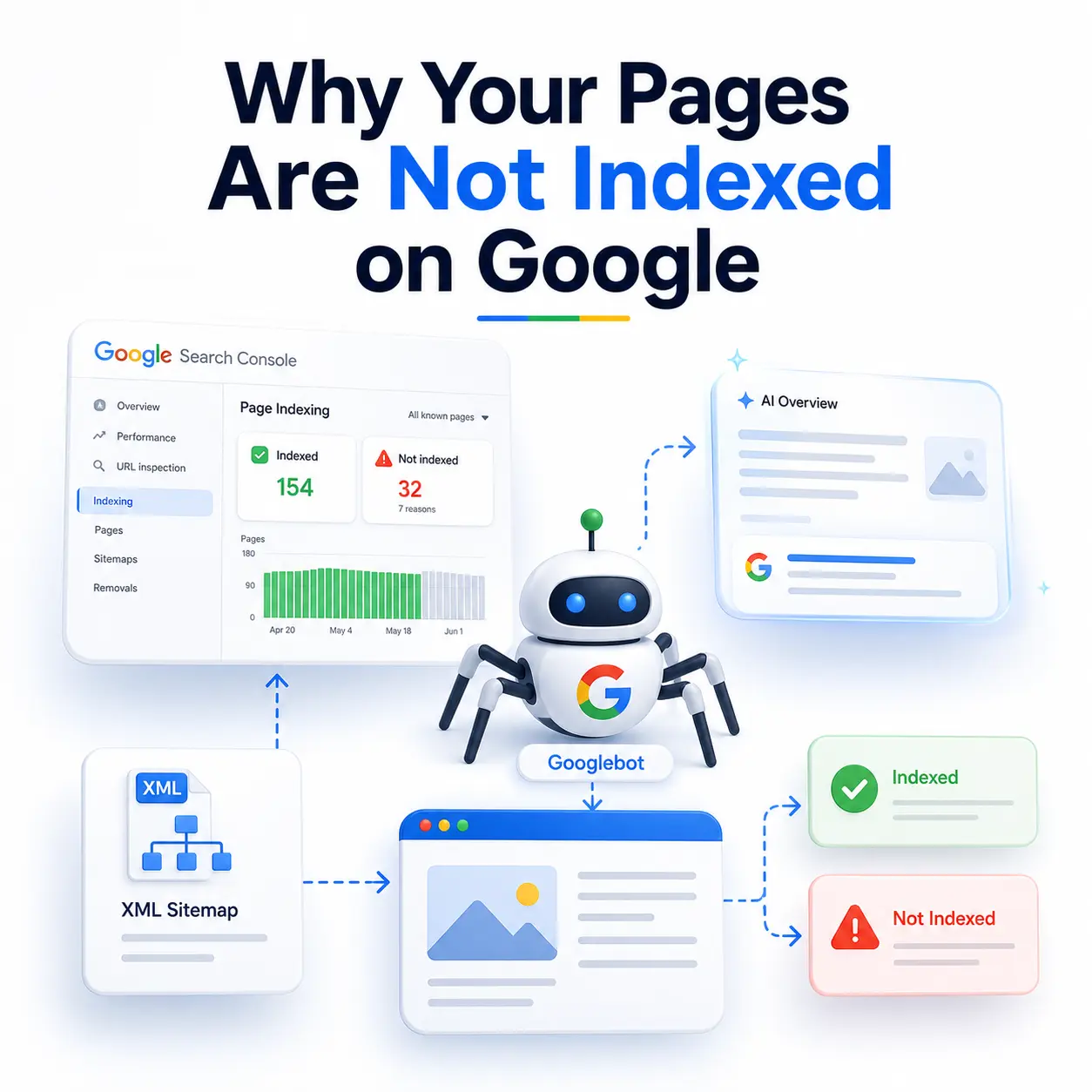
You open Google Search Console, click into the Page Indexing report, and there it is a list of URLs sitting under “Not indexed.” Pages you wrote. Pages you need ranking. Googlebot has been there. Google just decided not to keep them.
Here is the reframe that fixes most of these cases indexing is not a technical default, it is a verdict. Publishing a page earns you a crawl. It does not earn you a slot in the index. According to IndexCheckr’s study of 16 million pages, roughly 62% of submitted pages were never indexed by Google at all and that is the baseline reality, not an anomaly.
This guide will not hand you another list of twelve possible reasons. It will show you how to move from the exact status label you are staring at to the one cause that applies to your URLs and how long the fix should realistically take.
1. Indexing Is a Decision, Not a Default
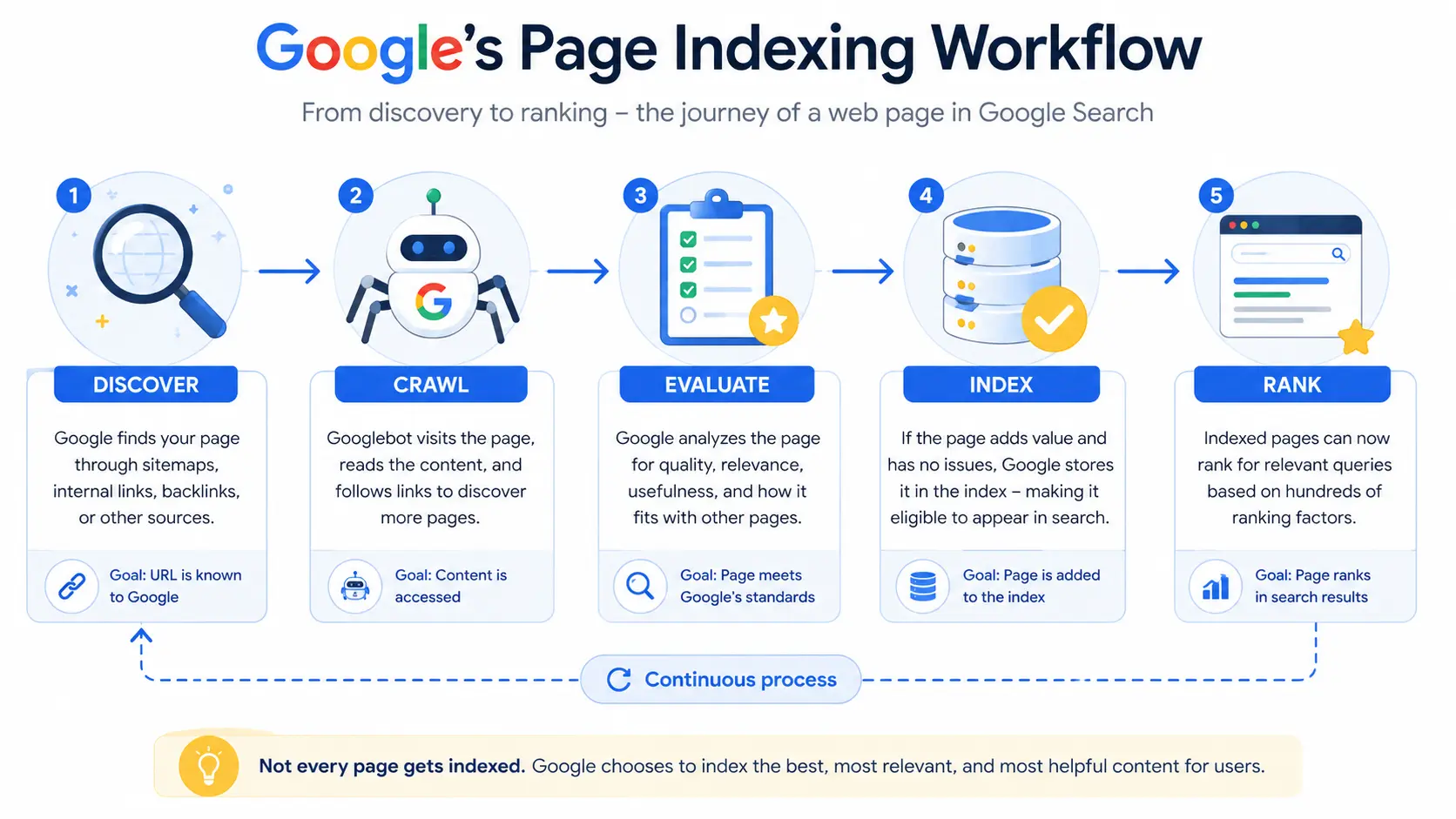
The pipeline is simple: Google discovers a URL, crawls it, evaluates it, and only then indexes it. Ranking comes after all four. Each stage is a filter, and each one can quietly drop your page.
What has changed is the strictness of the final filter. Google’s index is finite and its quality threshold has tightened considerably as AI-generated content has flooded the web. Google is not obligated to index everything it crawls, and increasingly it does not. So the useful question is never “why is Google broken?” It is “which stage rejected my page, and why?”
2. First, Confirm the Page Really Is Not Indexed
Skip this step and you can lose a day fixing a problem that does not exist.
Use URL Inspection, not the report alone
The Page Indexing report is a snapshot and it lags. The URL Inspection tool queries live data and is frequently more current. A page listed as “Crawled currently not indexed” in the report may already be indexed and serving impressions. Always inspect the individual URL before you act on the aggregate.
Why the site: operator is not proof
The site: search operator has been unreliable for years. It returns an approximation of Google’s index, not a verified answer, and it routinely omits pages that are indexed and ranking. Treat it as a rough signal only. Search Console is the only original data source you have on your own index status.
3. Read the Status Label It Tells You Which Layer Is Broken
Every “Not indexed” reason in Search Console belongs to one of three layers. Identify the layer and you have already eliminated two-thirds of the possible causes.
- Discovery layer — Google does not know about the page, or does not consider it worth reaching yet. Symptoms: orphan pages, missing or broken sitemaps, no internal links.
- Technical layer — Something is actively blocking indexation. Symptoms: noindex directives, robots.txt disallow rules, 4xx/5xx responses, redirect errors, content that only renders via JavaScript.
- Quality layer — Google reached the page, read it, and declined. Symptoms: thin or redundant content, duplication, templated near-identical pages.
The table below maps each status to its layer, its real cause, and the first thing you should do about it. Use it as a triage sheet before you touch a single page.
| Search Console status | Broken layer | What it actually means | First action | Timeline |
| Discovered – currently not indexed | Discovery | Google knows the URL exists but has not crawled it yet | Add internal links, cut URL bloat, improve server response | 2–6 weeks |
| Crawled – currently not indexed | Quality | Google crawled it and declined to index it | Consolidate or add genuinely unique value | 4–8 weeks |
| Duplicate without user-selected canonical | Architecture | Near-identical templates competing | Canonicalise or merge the pages | 2–4 weeks |
| Alternate page with proper canonical | None | Working exactly as intended | Ignore it | — |
| Excluded by noindex tag | Technical | A directive is blocking indexation | Remove the tag (often left over from staging) | Days |
| Blocked by robots.txt | Technical | A disallow rule blocks the crawl | Unblock; use noindex if exclusion is intentional | Days |
| Not found (404) / Soft 404 | Technical | Broken URL or an empty-looking template | Restore the page or redirect it | 1–2 weeks |
| Page with redirect | Technical | The URL has moved | Update sitemap and internal links | 1–2 weeks |
4. “Crawled” vs “Discovered”: The Distinction That Changes Your Fix
These two statuses look almost identical and they are the most misunderstood pair in technical SEO. They point at opposite problems, and the fix for one can make the other worse.
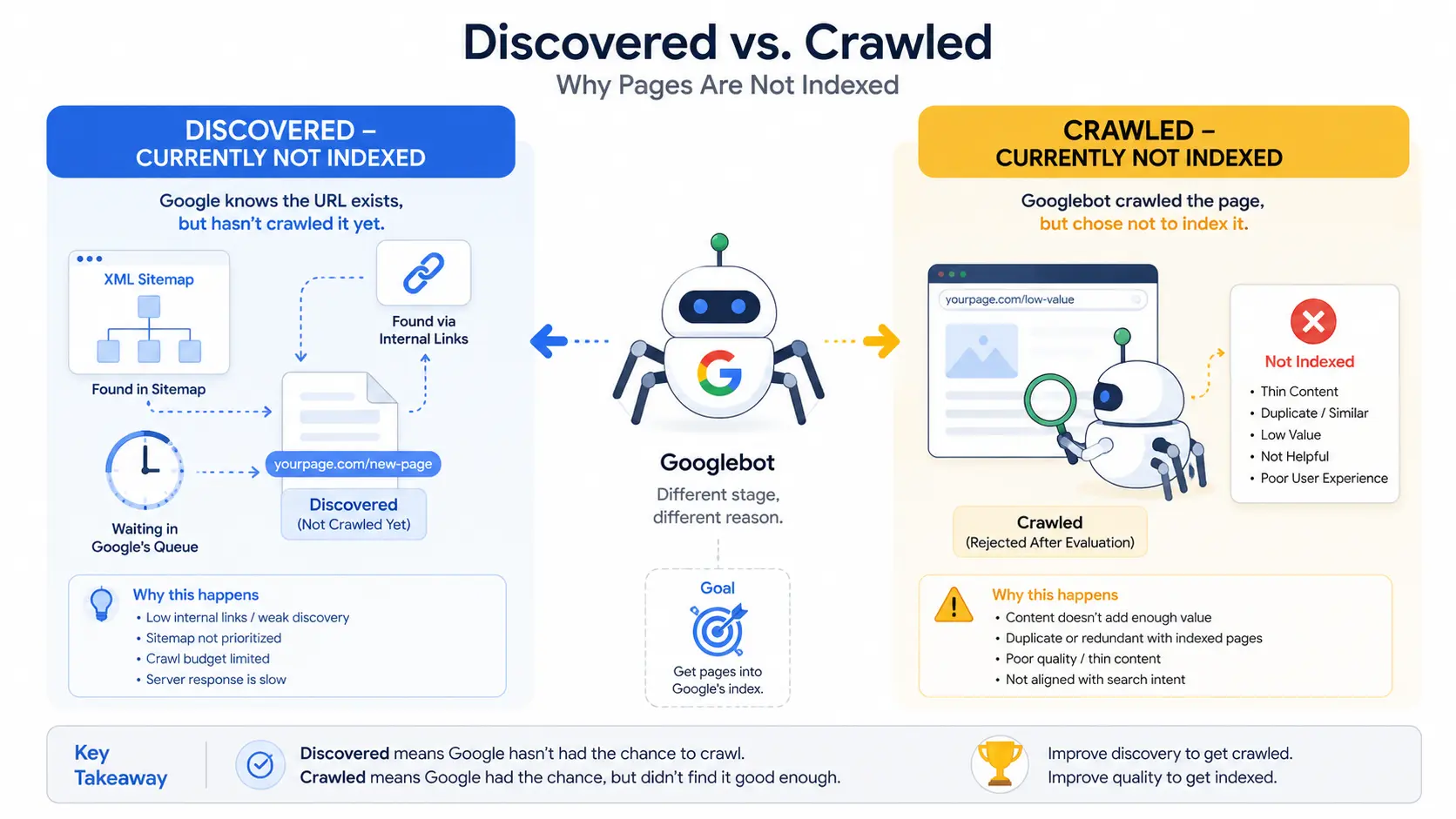
Discovered – currently not indexed
Google knows your URL exists it found it in your sitemap or via a link but has not crawled it. Google’s own documentation attributes this largely to crawl scheduling it wanted to crawl the URL but expected the request to strain your site, so it rescheduled. That is why the last-crawl date is usually empty. This is a discoverability and capacity problem, not a content problem. Rewriting the page will not help. Faster server responses, stronger internal links, and fewer junk URLs competing for crawl attention will.
Crawled – currently not indexed
Googlebot fetched the page, rendered it, evaluated it, and chose to pass. This is a quality verdict. Nothing is technically broken. Google concluded the page does not add enough value over what it already has indexed. The operative word is “currently” the decision is reversible, but only if the underlying signal changes.
The trap most site owners fall into: if you have a large “Discovered” backlog and you respond by publishing more pages, you dilute crawl demand further and deepen the backlog. When Google is already rationing crawl attention on your site, adding URLs is the opposite of a fix. This is a common issue discussed in practical SEO training, including a digital marketing course in Thrissur, where students learn how crawl budget, internal linking, and content quality influence Google’s indexing decisions rather than simply increasing the number of published pages.
5. The Cause Nobody Wants to Hear
For most intermediate site owners, the dominant real cause is not a misconfigured tag. It is that the page is not different enough.
Thin and redundant are not the same problem
A 400-word page covering something genuinely uncovered can index perfectly well. A 2,000-word page restating what three higher-authority sites already rank for often will not. Google’s threshold is about incremental value, not word count. Padding a redundant page makes it a longer redundant page.
Templated pages are the usual suspects
Location pages, product variants, tag archives, author archives, filtered parameter URLs anything generated from a template with a swapped variable is a prime candidate for a quality exclusion. If your excluded URLs all come from one template, you have a template problem, not a content problem.
Deleting pages often fixes indexing faster than adding words
This is counterintuitive and it works. Five thin posts merged into one well-sourced article consistently re-indexes faster than five posts individually padded. Consolidation raises the average quality of your domain, and domain-level quality signals feed directly into the indexing decision. Ten excellent pages index better than a hundred mediocre ones.
Internal links are a value signal, not just a path
An orphan page one with no internal links pointing to it tells Google nothing about its importance. Links from your strongest already-indexed pages do double duty: they create the crawl path and they vouch for the page.
6. The Exclusions You Should Ignore
Not every excluded URL is a problem. Some of them are Search Console working correctly. These belong in “Not indexed” and always will:
- Login, cart, checkout, and account pages
- Internal search result pages
- Pagination URLs (/page/2/ and beyond)
- RSS feeds, which exist for syndication, not search
- Filtered and parameter-based URL variations
- Pages correctly marked “Alternate page with proper canonical”
Severity test: export the full list, then categorise before you panic. If the bulk of your excluded URLs are utility and pagination pages, you likely have no problem at all. Worry when important content pages are affected, when the count is climbing month over month, or when a single template dominates the list.
7. The Fix Sequence, in Priority Order
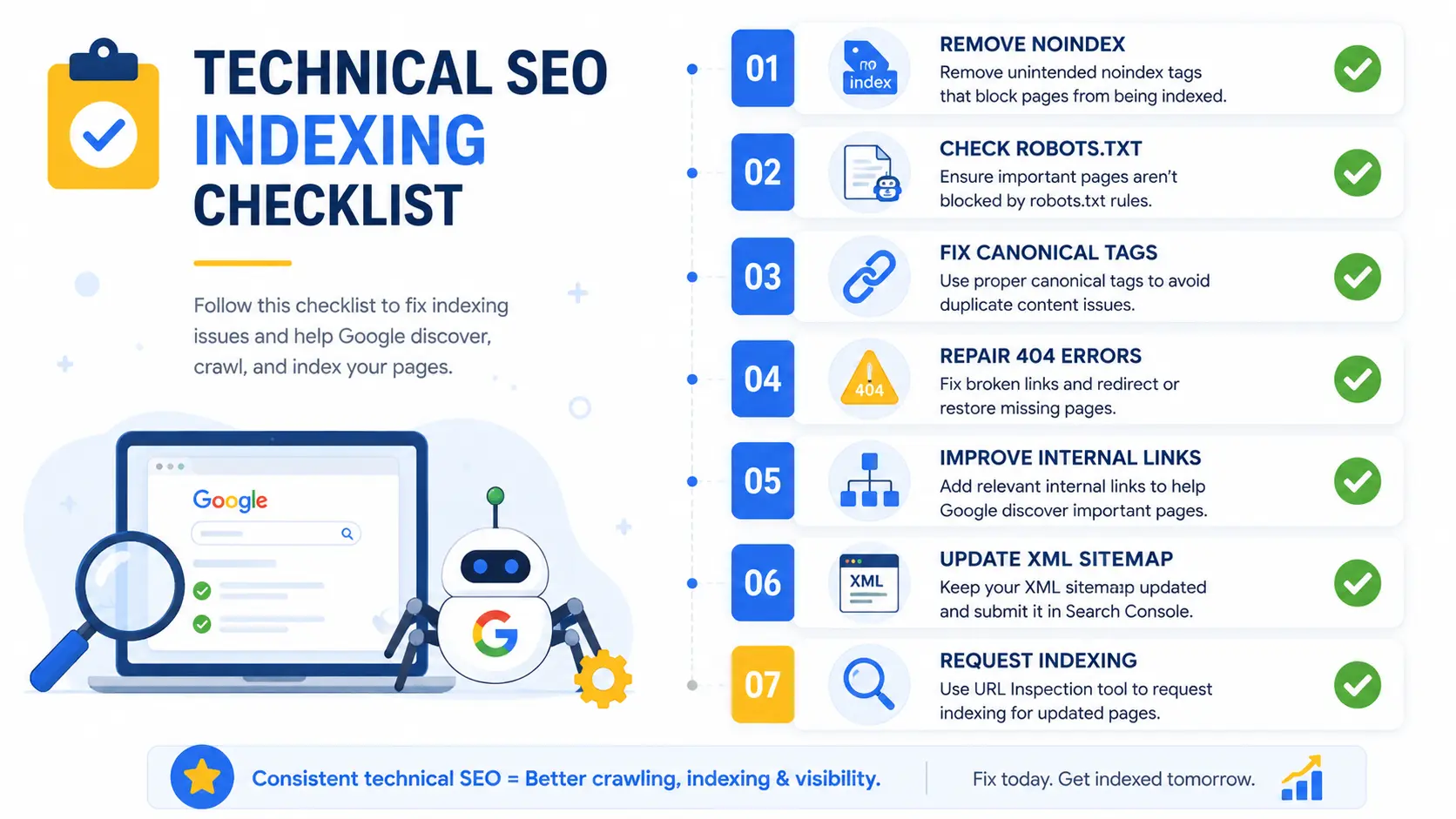
The order matters. Most people run it backwards and start by clicking “Request indexing,” which is the least effective move available.
- Export and categorise. Indexing → Pages → select the status → export. Group URLs into utility, thin, duplicate, and legitimate content pages.
- Clear technical blockers first. Stray noindex tags, robots.txt disallows, soft 404s and redirect errors are the cheapest, fastest wins and resolve in days.
- Consolidate or cut before you improve. Merge near-duplicates. Redirect what cannot be saved. Only then invest in improving what remains.
- Rebuild internal links from your strongest indexed pages to the URLs you actually need in the index.
- Fix sitemap hygiene, then request indexing. A sitemap listing 404s, redirects and noindexed URLs actively misleads Googlebot. Clean it, resubmit it, and only now request a recrawl.
Why “request indexing” is not a shortcut: it moves a URL up the crawl queue. It does not override the quality evaluation. If Google declined the page on merit, resubmitting it changes nothing — and the same logic applies to third-party indexing tools that simply ping the Indexing API on your behalf.
8. How Long It Should Take and When to Stop
Set expectations with data, not hope. Onely’s tracking puts roughly 56% of indexable URLs indexed within a day of publishing and about 87% within two weeks. Across a broader sample of submitted URLs, IndexCheckr found around 65% indexed within 30 days, 77% within three months, and 93% within six months.
After a fix, pages that meet Google’s thresholds typically re-enter the index within four to eight weeks. Individual requests can accelerate a single URL; nothing accelerates this at scale.
The 30-day rule: if the technical layer is clean, duplicates are consolidated, internal links are in place, and the page has been sitting out for 30+ days, Google has made a durable judgement. Stop optimising it. Merge it into something stronger or retire it.
The stat almost nobody quotes: in the same 16-million-page study, 21.29% of pages that did get indexed were later deindexed most within the first 90 days. Getting indexed is not the finish line. Indexation needs monitoring, not just achieving.
9. Why Unindexed Pages Now Cost You Twice
Indexation used to gate one traffic system. Now it gates two.
AI Overviews and AI-mediated search draw exclusively from indexed content. A page that is not in the index is not just missing from the ten blue links it is invisible to every AI answer surface, and to the growing share of informational queries that now resolve before a user ever reaches a results page. With AI Overviews appearing on a substantial and rising share of searches, and informational queries triggering them at the highest rates, an unindexed blog post is now excluded from both the classic SERP and the layer sitting in front of it.
Which is worth remembering alongside a sobering figure from Ahrefs’ study of roughly 14 billion pages: 96.55% of pages get zero organic traffic from Google. Indexation is not the goal. It is the first gate of several but it is the one gate you cannot skip.
Frequently Asked Questions
How long does it take Google to index a new page?
Indexing speed varies widely. Industry tracking shows roughly 56% of indexable URLs get indexed within a day of publishing and about 87% within two weeks. Larger studies of submitted URLs show around 65% indexed within 30 days and 77% within three months. Established, frequently updated sites index far faster than new domains.
What is the difference between “crawled currently not indexed” and “discovered currently not indexed”?
“Discovered” means Google knows the URL exists but has not crawled it yet, usually due to crawl scheduling or prioritisation. “Crawled” means Googlebot fetched and evaluated the page, then deliberately chose not to index it. Discovered points to discoverability and site performance issues. Crawled points to content quality or redundancy.
Why is my page still not indexed after I requested indexing?
Requesting indexing only moves a URL up the crawl queue. It does not override Google’s quality evaluation. If the page was declined for thin, duplicate, or redundant content, resubmitting it changes nothing. Fix the underlying signal first content depth, uniqueness, internal links then request a recrawl.
Does Google index every page on a website?
No. Google indexes selectively and does not have the capacity or intent to index everything it crawls. A study of 16 million pages found roughly 62% of submitted pages were never indexed. Utility pages, thin archives, pagination, and near-duplicate templates are commonly and correctly excluded.
Does thin content prevent Google from indexing a page?
Frequently, yes but redundancy matters more than raw length. A short page covering something nothing else covers can index fine, a 2,000-word page repeating what higher-authority sites already rank for often will not. Google’s threshold is about incremental value, not word count.
The Takeaway
Stop treating “not indexed” as a single problem. It is three problems wearing the same label. Read the status, identify the layer, fix that layer and calculate your own benchmark while you are in there: divide indexed URLs by total submitted URLs in the Page Indexing report. If you are above the 38% baseline from the 16-million-page study, you are ahead of the web. If you are well below it, the problem is systemic a template or an architecture decision not the page you have been rewriting all week.


