YouTube SEO in 2026 is the practice of helping your videos appear in YouTube search results, suggested feeds, and Google Search. This guide explains how YouTube ranks videos, how to research keywords, how to optimize titles, descriptions, thumbnails, and chapters, and which metrics to track. It is written for beginners, students, freelancers, and business owners who want a clear starting point for growing a channel without guesswork.
What Is YouTube SEO and Why Does It Matter?
YouTube SEO is the process of optimizing a channel and its videos so YouTube understands the content and shows it to the right viewers. YouTube works as both a video platform and a search engine. People type a question, and they expect a video that answers it quickly.
Search is only one route to discovery. Viewers also find videos through the home feed, suggested videos, and Shorts. Good optimization supports all of them, because each system tries to answer the same question: will this viewer be satisfied?
How YouTube Search Differs From Google Search
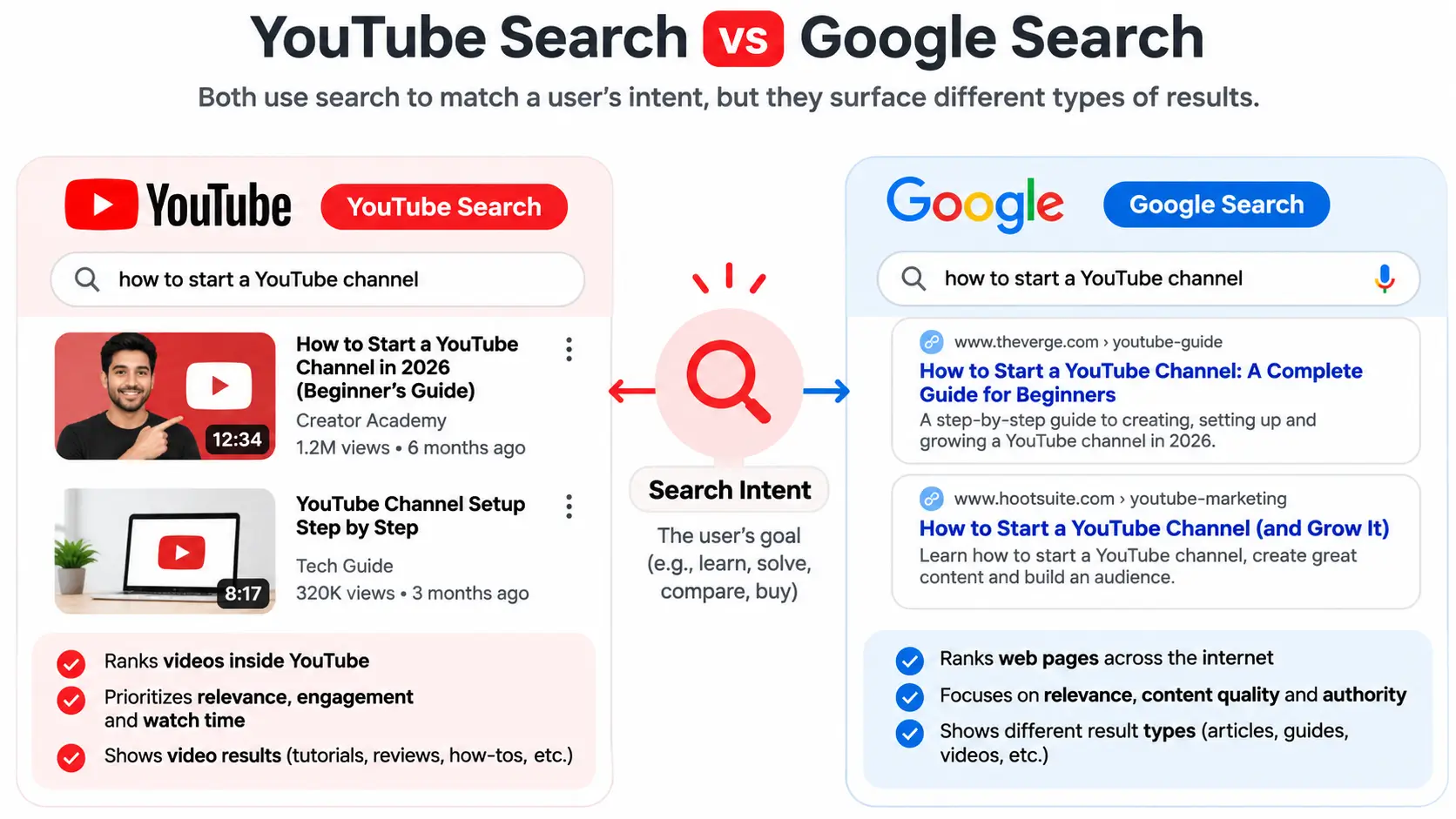
Google Search ranks web pages, while YouTube ranks videos inside its own platform. Both try to interpret intent and show the most useful result. According to the YouTube Help documentation on search, the ranking system looks at relevance, engagement, and quality, and it may personalize results using a viewer’s search and watch history.
Google can also show videos in its own results. A well-structured video page that follows Google’s video best practices can earn traffic from both platforms.
How the YouTube Algorithm Works
There is no single YouTube algorithm. Search, the home feed, suggested videos, and Shorts each run on separate systems with different goals. For search, relevance comes first, and satisfaction decides which relevant videos rank higher.
Relevance Signals
Relevance shows how well a video matches the query. YouTube looks at the title, description, tags, and the video content itself, including what is spoken on screen. Tags carry little weight today, so the title, the opening lines of the video, and the description matter more.
Engagement and Satisfaction Signals
Engagement shows whether viewers value the video. Common signals include click-through rate, watch time, audience retention, likes, comments, shares, and direct viewer feedback. A video that earns clicks but loses viewers in the first minute sends a weak signal, so the content has to deliver what the title promises.
Shorts Versus Long Videos
Shorts are mostly discovered through a swipe-based feed, so a strong opening and viewer response matter more than keyword placement. Long videos depend more on search intent, packaging, and retention. Most channels benefit from planning both formats separately.
Step-by-Step YouTube Keyword Research
Keyword research tells you what viewers already search for. Follow these steps for each video idea:
- Write down the questions your audience asks, such as “how to set up Google Ads” or “what is email automation”.
- Type each idea into the YouTube search bar and note the autocomplete suggestions, because they reflect real searches.
- Check demand in Google Trends by switching the search type to YouTube Search.
- Watch the top-ranking videos and note their format, length, and gaps they leave unanswered.
- Choose one primary phrase for the video and two or three supporting phrases.
Match the format to the intent. A “how to” query needs a tutorial, a “best” query needs a comparison, and a “what is” query needs a short explainer with a clear definition.
How to Optimize Each Part of a Video
Titles
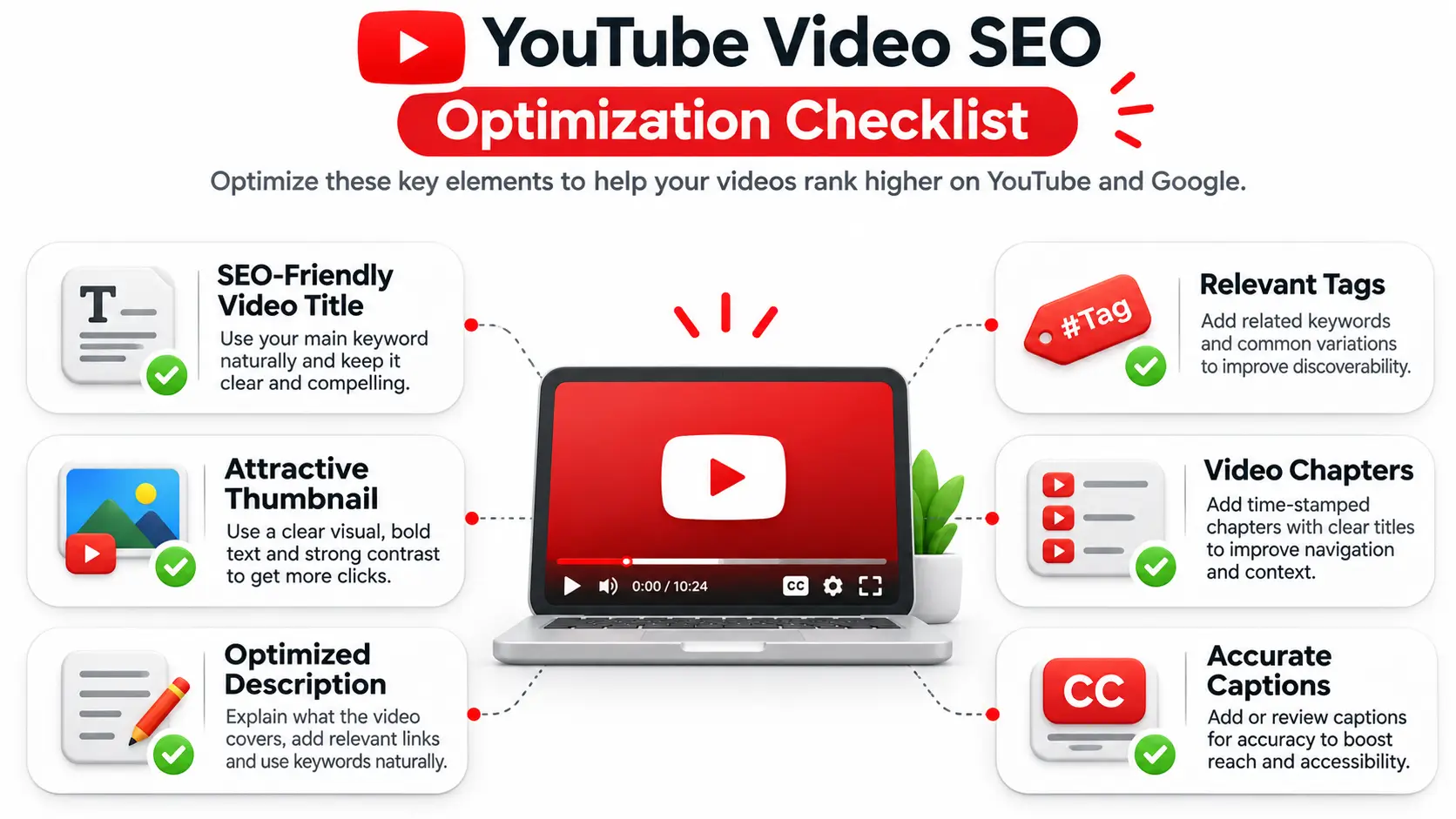
Place the main phrase near the start of the title and keep it readable. Write for the viewer first. A title that sounds natural and promises a clear result earns more clicks than one packed with keywords. Keep the title short enough to avoid being cut off in results, and avoid promises the video cannot support.
Thumbnails
A thumbnail does not change relevance, but it strongly affects click-through rate. Use a clear subject, large readable text, and strong contrast. Check it at phone size, because most viewers see it on a small screen.
Descriptions
Write a description that explains what the video covers in the first two lines, since viewers see those lines first. Then add context, related links, and a short summary. Use the main phrase and its variations naturally, without repeating them.
Chapters and Captions
Chapters split a video into labelled sections, which helps viewers jump to the part they need. They also help YouTube and Google understand the structure of the video. Accurate captions add a text version of the spoken content and make the video accessible to more people. Review auto-generated captions for errors before publishing.
Playlists and Channel Structure
Group related videos into playlists so viewers move from one useful video to the next. A channel that covers a focused set of topics is easier for viewers and for YouTube to understand. Add a clear channel description that states who the channel serves.
Connecting YouTube With Your Website
Embedding videos in relevant blog posts gives them a second route to viewers and helps pages hold attention. When videos live on your website, you also need data on how those pages perform in Google Search. Setting up your Google Search Console properties correctly lets you track impressions, clicks, and queries for pages that carry your videos.
How to Measure Results in YouTube Studio
YouTube Studio shows what is working. Review these reports:
- Impressions and click-through rate: show how often viewers see and choose your thumbnail.
- Average view duration and retention: show where viewers leave.
- Traffic sources: show whether views come from search, suggested videos, or the home feed.
- Search terms: show the queries that lead viewers to your channel.
Review these reports every few weeks. Update titles, thumbnails, and opening lines of videos that get impressions but few clicks or views.
Common YouTube SEO Mistakes
- Choosing keywords without checking the intent behind them.
- Using misleading titles that cause viewers to leave quickly.
- Filling descriptions with repeated phrases.
- Ignoring the first 30 seconds of the video.
- Uploading without a plan for playlists or follow-up videos.
- Judging a video on views alone and skipping retention data.
Frequently Asked Questions
What is YouTube SEO?
YouTube SEO is the process of optimizing videos and channels so they rank in YouTube search and reach the right viewers. It covers keyword research, titles, descriptions, thumbnails, chapters, and viewer engagement.
Is YouTube SEO different from Google SEO?
Yes. Google SEO ranks web pages, while YouTube SEO ranks videos on YouTube. The goals are similar, but YouTube places more weight on watch time, retention, and viewer satisfaction.
Do tags still matter for YouTube SEO?
Tags have a small role. They can help with commonly misspelled terms, but the title, description, and video content carry far more weight.
How long does it take to rank a video on YouTube?
There is no fixed timeline. Results depend on competition, topic demand, video quality, and how viewers respond. Track progress in YouTube Studio and improve videos over time.
Can beginners learn YouTube SEO without technical skills?
Yes. The basics are keyword research, clear titles, helpful descriptions, and strong content. Learners can start with these and add analytics skills later.
Does YouTube SEO help with Google rankings?
It can. Google may show videos in its results for some queries, and optimized, well-embedded videos have a better chance of appearing there.
Conclusion
Success with YouTube SEO in 2026 depends on matching real search intent, delivering content that keeps viewers watching, and reviewing data regularly. Start with keyword research, optimize titles, thumbnails, and descriptions, and let YouTube Studio guide each improvement. Consistency matters more than any single trick.
If you want structured, hands-on training in YouTube, search, and social media marketing, explore our digital marketing course in Kochi and take the next step in your marketing career.


