 Skip to content
The “Page Indexed without content” warning in Google Search Console can be alarming especially when important pages suddenly drop in rankings or start disappearing from Google’s index.
Many site owners assume this issue is caused by JavaScript rendering problems, but according to Google’s Search Advocate John Mueller, that assumption is usually wrong.
In reality, this warning most often points to server-side or CDN-level restrictions that prevent Googlebot from accessing page content.
What Is the “Page Indexed Without Content” Error?
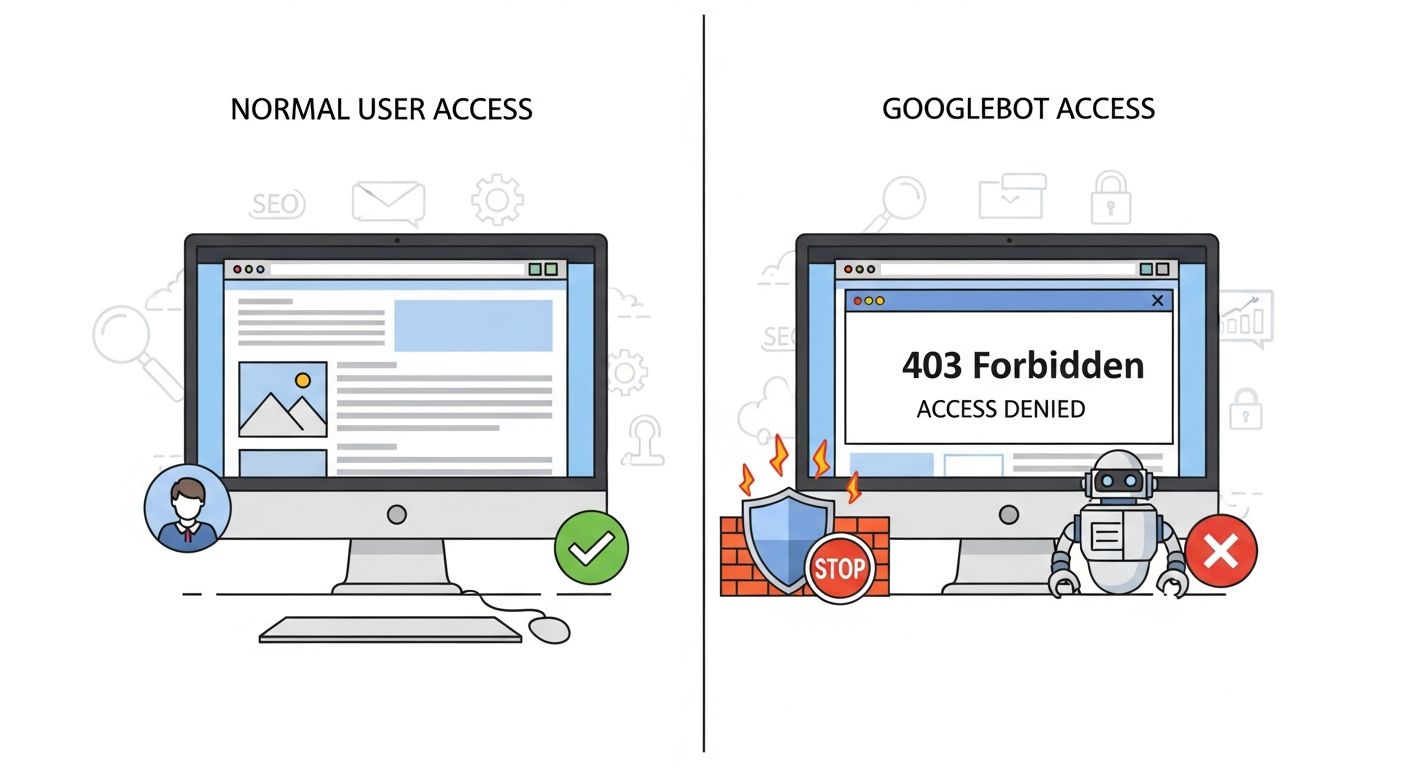
The “Page Indexed without content” error occurs when Google is able to index a URL but cannot retrieve its actual content due to server, firewall, or CDN blocking not because of JavaScript issues or robots.txt rules.
When this happens:
- Google sees the URL
- The page gets indexed
- But no meaningful HTML content is accessible
Over time, affected pages may:
- Lose rankings
- Drop out of the index
- Stop appearing for branded or high-intent keywords
What John Mueller Clarified About This Issue
John Mueller addressed this issue while responding to a Reddit discussion where a site owner noticed their homepage drop from position #1 to #15 shortly after the warning appeared in Search Console.
Mueller explained that:
- The issue is not related to JavaScript rendering
- It is almost always caused by server or CDN-level blocks
- These blocks frequently target Googlebot’s IP addresses
Because the restriction happens at a low infrastructure level, it’s often invisible during normal browser testing.
Why This Error Is Hard to Detect
One of the biggest challenges with the “Indexed without content” issue is that:
- Curl commands may work
- Third-party SEO tools may show normal results
- Browser tests may load content perfectly
Yet Googlebot still cannot access the page.
This happens because many security systems apply IP-based rules, treating Googlebot differently from regular users.
That’s why Search Console’s URL Inspection tool is usually the only reliable way to detect this problem.
Server & CDN Blocking: The Real Root Cause
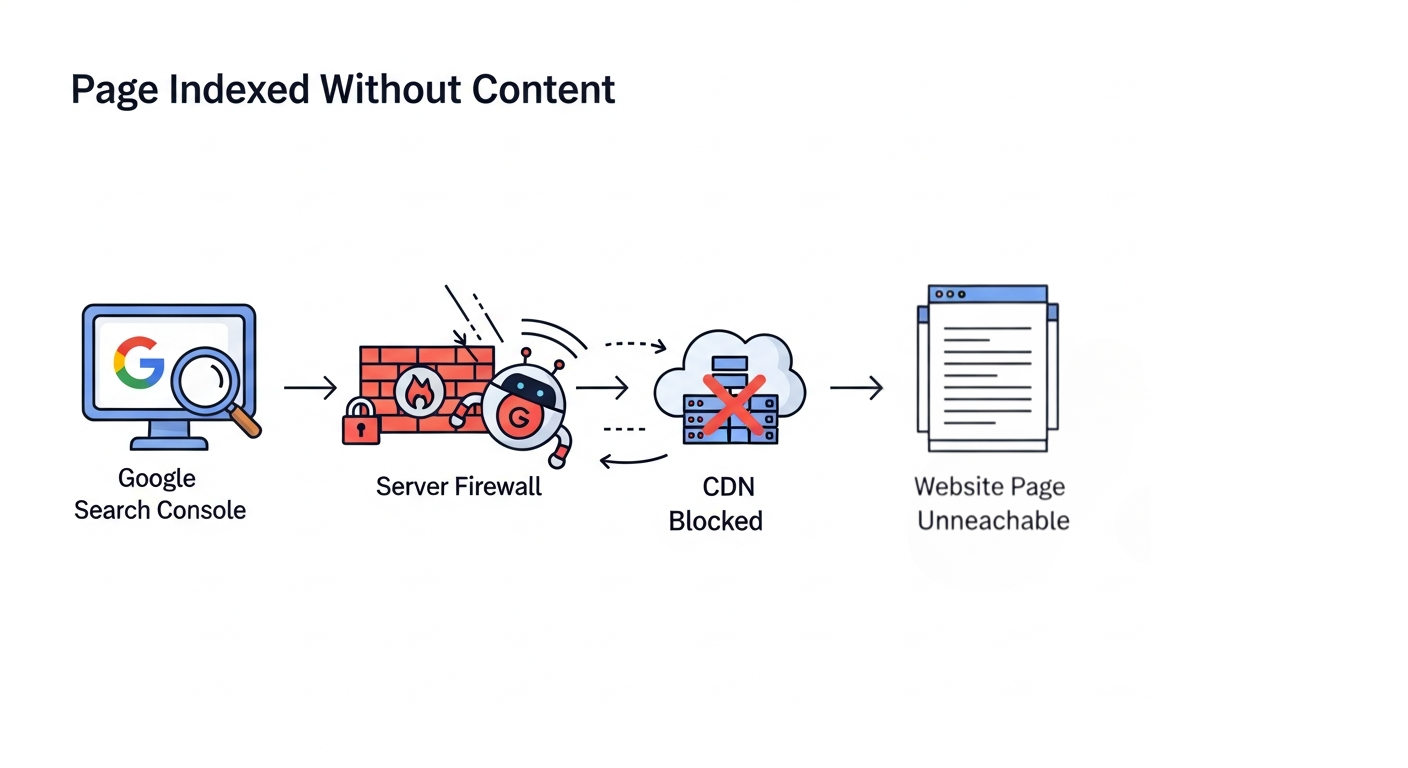
In most confirmed cases, the issue is caused by:
- Firewall rules blocking Googlebot
- Aggressive bot protection settings
- IP-based access restrictions
- CDN security features misidentifying Googlebot as a threat
This is especially common on sites using CDNs like Cloudflare.
Why Cloudflare Sites Are Frequently Affected
Cloudflare has been involved in many past cases of:
- Crawling disruptions
- Sudden indexing drops
- “Indexed without content” warnings
This usually happens due to:
- Bot Management rules
- Firewall configurations
- Automated security updates
- Rate limiting or threat detection settings
Even without manual changes, default rule updates can unintentionally block Googlebot.
Signs That Your CDN Is Blocking Googlebot
You’re likely dealing with a server/CDN issue if:
- URL Inspection fails but browser tests work
- Live URL test shows errors
- Desktop inspection fails while mobile passes
- Rankings drop suddenly with no site changes
- Pages slowly disappear from Google’s index
These symptoms strongly indicate backend access restrictions, not frontend issues.
Why This Is a High-Priority SEO Issue
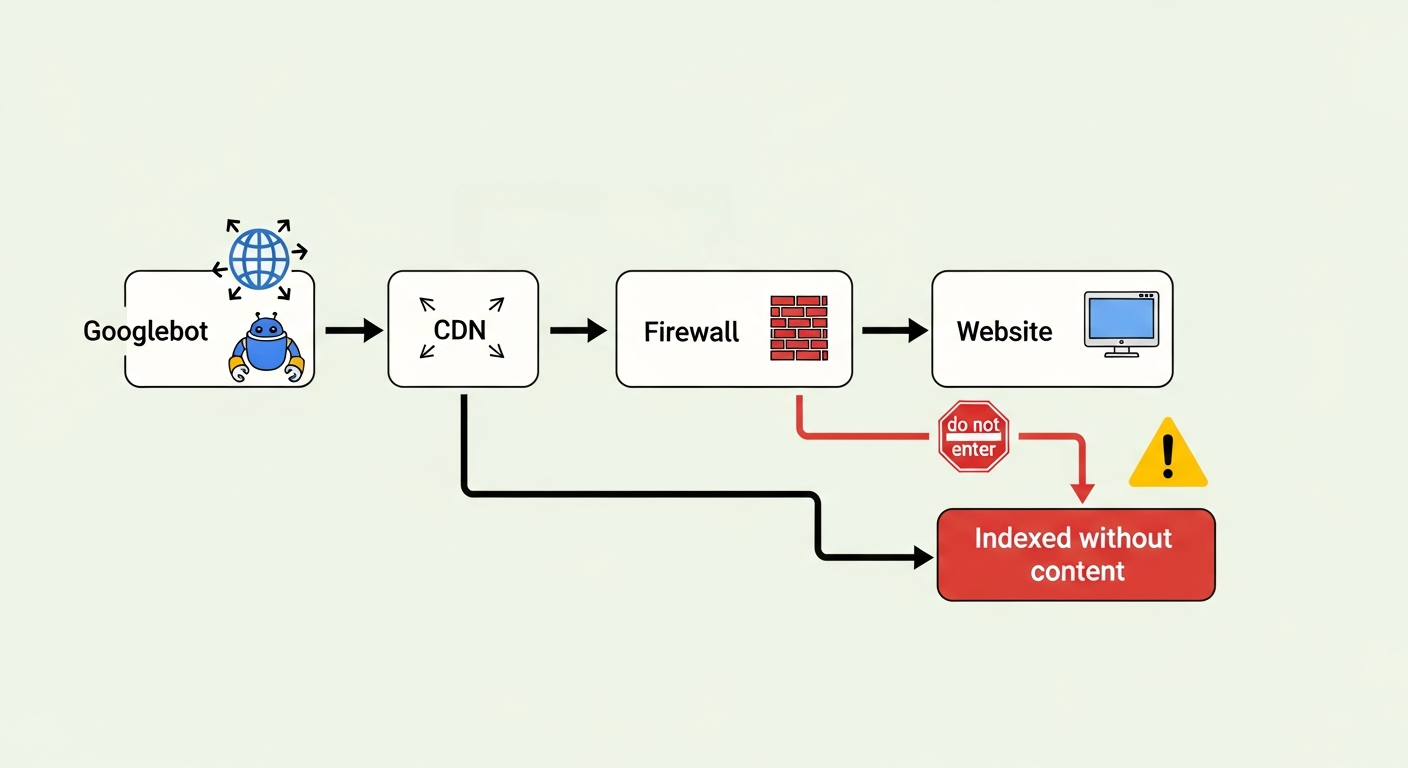
When Google cannot read page content:
- Rankings can drop quickly
- Indexed pages may be removed entirely
- Crawl budget is wasted
- Trust signals weaken
Google has warned that pages affected by this issue can fall out of the index rapidly, making immediate action critical.
How to Fix “Page Indexed Without Content” Errors
1. Check Server & Firewall Rules
- Review firewall logs
- Look for blocked Googlebot IPs
- Remove unnecessary security restrictions
2. Review CDN Settings (Especially Cloudflare)
- Check Bot Management rules
- Review firewall and security levels
- Disable aggressive bot protection temporarily for testing
3. Allow Googlebot IP Ranges
Google publishes its crawler IP ranges. Ensure:
- Googlebot is not rate-limited
- IP-based blocking is disabled for Google crawlers
4. Use Search Console for Testing
- Use URL Inspection
- Run Live URL Test
- Request reindexing after fixing the issue
External tools cannot reliably detect IP-based blocks Search Console is your best diagnostic tool.
Key Takeaways for SEOs & Site Owners
- “Indexed without content” is not a JavaScript issue
- The root cause is almost always server or CDN blocking
- IP-based restrictions make the issue hard to replicate
- Cloudflare configurations are a common trigger
- Ignoring this warning can lead to rapid deindexing
Final SEO Tip
Whenever you see unexplained indexing or ranking drops and Search Console shows “Page Indexed without content” always check your server and CDN first before touching JavaScript, content, or on-page SEO.
Issues like “Page Indexed without content” show why technical SEO knowledge is important. To understand and fix such real-world search problems, a digital marketing course in Thrissur can help build practical skills in SEO, Search Console, and server-level troubleshooting


